

Telling ChatGPT to "act as" someone gives it a role to play, which shapes tone, vocabulary, and focus. Adding background context sharpens that further.
Role-Based Prompting Explained
This part explains what happens when you assign ChatGPT a specific role.
Role-based prompting means telling ChatGPT to respond as if it were a specific type of person or expert — like a teacher, coder, or lawyer. This shifts its tone, vocabulary, and focus to match that role.
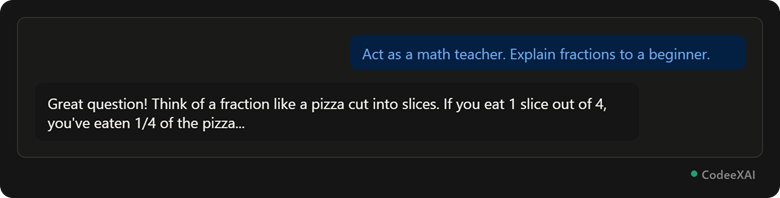
This picture shows a "math teacher" role prompt producing a friendly, beginner-style explanation — a different tone than a plain, unrole-played answer would give.
Examples: "Act as a Teacher," "Act as a Coder"
This part shows how the same base question changes depending on the role assigned.
Different roles change both the tone and the depth of the answer, even for a related question.
- "Act as a teacher": Explains things simply, step by step, often with analogies for beginners.
- "Act as a coder": Responds with technical precision, code snippets, and developer-focused language.
Comparison Table: Same Question, Different Roles
This table shows how the same question about "loops" produces very different answers depending on the assigned role.
| Prompt | Role | Style of Answer |
|---|---|---|
| "Explain loops. Act as a teacher." | Teacher | Simple analogy, beginner-friendly |
| "Explain loops. Act as a senior developer." | Coder | Technical, code-focused, concise |
Adding Background Context
This part explains how giving background details sharpens the response beyond just a role.
Background context means telling ChatGPT relevant details about your situation — like your skill level, goal, or constraints — so the answer fits your exact needs instead of a generic audience.
Example: "I'm a complete beginner who has never coded before" changes how much detail and jargon ChatGPT includes, compared to no context at all.
Combining Role + Context
This part shows how role and context work best together, not separately.
Combining a role with context gives ChatGPT both a personality to respond as and the specific details it needs to tailor that response.
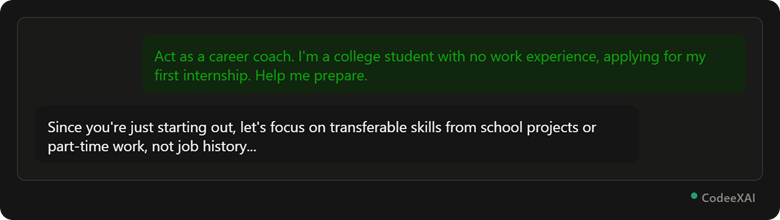
This picture shows a role ("career coach") combined with context ("no work experience") producing advice tailored specifically to that situation, not generic career tips.
Why it works: The role sets the tone and expertise, while the context ("no work experience") tells ChatGPT exactly what angle to take — together they produce a far more relevant answer than either alone.
Conclusion
Role-based prompting shapes tone and expertise, while background context sharpens the answer to your exact situation. Combining both — a clear role plus specific context — consistently produces more useful, tailored responses than a plain question alone.