

Custom instructions let ChatGPT remember your background and preferences automatically, so you don't repeat the same context in every chat.
What Are Custom Instructions?
This part explains what this feature actually does before showing how to set it up.
Custom instructions are saved preferences that ChatGPT applies to every new conversation automatically. The general pattern splits into a mission (the outcome or goal, not a procedure) and context (background info) — in practice, this covers two questions: what you'd like ChatGPT to know about you, and how you'd like it to respond. oreilly
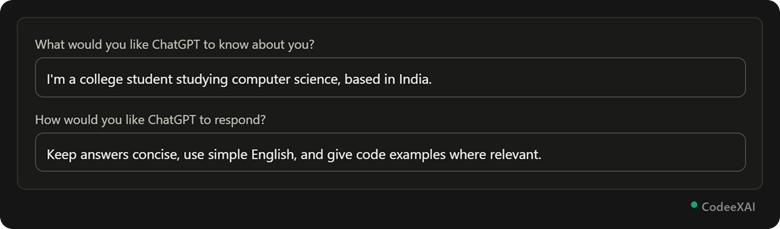
This picture shows the two custom instruction fields filled in — background info on top, response style preferences below.
Setting Up Custom Instructions
This part walks through the exact steps to enable and fill in this feature.
To use custom instructions, click on your name, then select "Custom instructions" to get started. The feature is available to both free and Plus users, including on iOS and Android, and works even with chat history turned off. tomsguide
Example: Setup Steps
This example lists the steps in order, so you can set it up without hunting through menus.
- Click your profile icon in the bottom-left corner.
- Select Custom instructions (or Settings → Personalization on some versions).
- Fill in the "What should ChatGPT know about you?" box with your background, role, or goals.
- Fill in the "How should ChatGPT respond?" box with your tone, length, and format preferences.
- Save — these instructions now apply automatically to every new chat.
Note: Keep both boxes short, since custom instructions use part of the context window on every conversation. TechCrunch
Example Use Cases
This part shows realistic ways different types of users benefit from setting this up once.
- Students: A teacher can specify they teach fourth-grade math, so lesson-related answers are automatically pitched at that level. TechCrunch
- Developers: A developer can specify their preferred coding language, so code suggestions match it by default. TechCrunch
- Non-native English speakers: Someone can specify preferred spelling conventions, like British English, so responses stay consistent. yahoo
- Busy professionals: Setting "keep answers under 100 words unless I ask for detail" avoids repeating that instruction in every single prompt.
Conclusion
Custom instructions save your background and response preferences once, so ChatGPT applies them automatically across every future conversation instead of you repeating context each time. Setting them up takes just a few minutes through your profile menu, and the payoff is more relevant, consistently formatted answers from the very first message.