

A few repeated mistakes cause most weak ChatGPT responses. Here's what they look like, and how to fix each one.
Overly Vague Prompts
This part shows what happens when a prompt leaves ChatGPT to guess your intent.
An overly vague prompt gives no specifics — no topic angle, audience, or format — so ChatGPT defaults to a generic, unfocused answer.
Example: "Write about business" produces a broad, textbook-style answer, since there's no indication of what aspect, audience, or purpose you actually need.
Fix: Add a specific angle, audience, and format — e.g., "Write 3 tips for a first-time small business owner on managing cash flow."
Overloading a Single Prompt
This part shows the problem with cramming too many unrelated requests into one message.
Overloading a prompt means asking for too many unrelated things at once, which often causes ChatGPT to answer some parts well and skip or rush others.
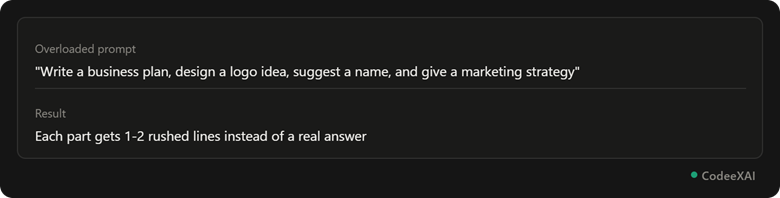
This picture shows how packing four unrelated requests into one prompt leads to a shallow, rushed answer for each part.
Fix: Split it into separate prompts, or number each part clearly so ChatGPT addresses them one at a time instead of blending them together.
Not Giving Context
This part shows how missing background details lead to answers that don't fit your actual situation.
Skipping context — your skill level, goal, or constraints — forces ChatGPT to assume a generic audience, which often means the answer misses your real need.
Example: Asking "How do I learn to code?" with no context gets a generic roadmap. Adding "I'm 15 years old and want to build simple games" gets a specific, relevant path instead.
Ignoring Follow-Up Refinement
This part shows the mistake of starting over instead of refining an answer that's almost right.
Ignoring follow-up refinement means abandoning a decent response and rewriting the whole prompt from scratch, instead of simply asking ChatGPT to adjust what it already gave you.
Example: If a response is close but too long, just say "make this shorter" instead of writing an entirely new prompt — ChatGPT already has the full context and can adjust it directly.
Comparison Table: Common Mistakes and Fixes
This table summarizes all four mistakes side by side with their direct fix.
| Mistake | Problem | Fix |
| Overly vague prompt | Generic, unfocused answer | Add specifics: topic, audience, format |
| Overloading a prompt | Rushed, shallow answers | Split into separate or numbered requests |
| Not giving context | Answer doesn't fit your situation | Add your skill level, goal, or constraints |
| Ignoring follow-up refinement | Wastes time rewriting from scratch | Ask ChatGPT to adjust the existing answer |
Conclusion
Most weak ChatGPT responses trace back to one of four habits — being too vague, overloading a single prompt, skipping context, or rewriting instead of refining. Fixing any one of these usually improves your results immediately, and fixing all four consistently gets you sharper, more useful answers.