

Code Interpreter, now called Advanced Data Analysis, lets ChatGPT write and run real Python code on your uploaded data — not just describe it.
What Code Interpreter Does
This part explains what this feature actually does behind the scenes.
Advanced Data Analysis lets you upload data directly to ChatGPT, which then writes and runs Python code in a secure, sandboxed environment to explore, clean, and visualize it. This significantly increases both the use cases and accuracy of the output, since ChatGPT is running real calculations instead of estimating an answer from text alone.
Comparison Table: Regular Chat vs Code Interpreter
This table shows the practical difference between asking ChatGPT a data question normally versus with Code Interpreter active.
| Task | Regular Chat | Code Interpreter |
| "Average of this column" | May estimate, can be wrong | Exact calculated result |
| "Clean messy data" | Can describe steps only | Actually cleans and returns the file |
| "Make a chart" | Can't generate a real image | Generates an actual chart |
Uploading Data for Analysis
This part shows exactly where to upload your file and how the feature activates.
Plus subscribers can access this tool directly in a standard chat window — no separate mode needs to be enabled. Just attach a file, and ChatGPT automatically uses code execution when the task calls for it.
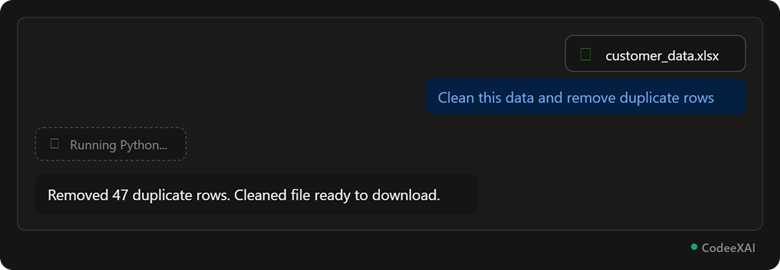
This picture shows a spreadsheet uploaded with a cleaning request — ChatGPT runs actual Python code behind the scenes and returns the cleaned result, not just a description of what to do.
Example: Upload and Analyze Steps
This example lists the steps to run your own analysis.
- Click the paperclip icon and attach your data file (CSV, Excel, JSON, etc.).
- Type a clear task, like "clean this data" or "find the average of column X."
- Watch for the "Running Python..." indicator — this confirms code is actually executing.
- Review the result, and download any cleaned file or chart produced.
Generating Charts and Graphs
This part shows how to get ChatGPT to turn your data into a real visual chart.
Code Interpreter can write and run code to build interactive HTML files, maps, or charts directly from your uploaded data.
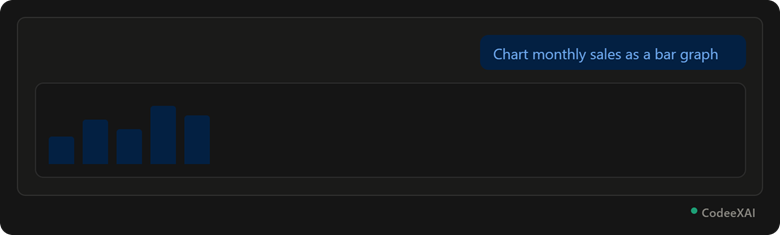
This picture shows a real bar chart generated directly from uploaded sales data, built by code ChatGPT wrote and ran itself.
Example Use Cases
This part shows realistic tasks Code Interpreter handles well.
- Excel analysis: Uploading a sales spreadsheet and asking "What were our top 3 best-selling months?" gets an exact, calculated answer.
- Cleaning data: Uploading a messy CSV with duplicate or missing rows and asking ChatGPT to clean it returns a ready-to-use file.
- Running statistics: Asking for a regression or trend analysis on a dataset produces real statistical output, not a guess.
- File conversion: Converting data between formats, like turning a CSV into a formatted Excel file with charts included.
Conclusion
Code Interpreter (Advanced Data Analysis) turns ChatGPT into a real data tool — it writes and runs actual Python code on your uploaded files instead of just describing what you could do. Uploading a file and asking a direct question, as shown in the examples above, gets you exact calculations, cleaned data, and real charts, all inside the same chat.