

Python input output refers to how a Python program takes information from a user and shows information back to them. The input() function gets data in, and the print() function shows data out. In this guide, you will learn how to use input(), print(), f-strings, .format(), string concatenation, and different print formatting options.
What is Input and Output in Python?
This part explains the basic meaning of input and output, in easy words.
Python input output means how a program talks to the user — input is data coming from the user into the program, and output is data the program shows back to the user. Every interactive program needs both.
Example: When a program asks "What is your name?" and waits for you to type an answer, that is input. When it then shows "Hello, Ravi!" on the screen, that is output.
name = input("What is your name? ")
print("Hello,", name)
Explanation: This code first asks the user to type their name using input(), storing it in the variable name. Then it uses print() to show a greeting back on the screen.
Using input() to Get Data
This part explains how the input() function works in more detail.
The input() function pauses the program and waits for the user to type something and press Enter. Whatever the user types is always returned as text (str), even if they type numbers.
age = input("Enter your age: ")
print(type(age))  # Output: <class 'str'>

age_number = int(age)   # convert to number for math
print(age_number + 1)
Explanation: This code shows that input() always gives back text, even for numbers. To use the value in math, you must convert it with int() first, otherwise Python will show an error.
Using print() to Show Data
This part explains how the print() function displays output on the screen.
The print() function shows text or values on the screen. You can print plain text, variables, or multiple values separated by commas.
name = "Ravi"
age = 25
print("Name:", name, "Age:", age)
Explanation: This code prints multiple values in one line by separating them with commas. Python automatically adds a space between each value.
String Concatenation
This part explains how to join text and values together using the + symbol.
String concatenation means joining two or more pieces of text together using the + symbol. Both sides must be text (str) — numbers must be converted first using str().
name = "Ravi"
age = 25
message = "My name is " + name + " and I am " + str(age) + " years old"
print(message)
Explanation: This code joins several pieces of text and a number together using +. Notice str(age) is needed, because you cannot directly join text and a number without converting the number first.
Using f-strings
This part explains f-strings, the easiest and most modern way to combine text and variables.
An f-string is a special way to write text in Python that lets you place variables directly inside curly braces {}, without needing + or str(). You create one by putting the letter f right before the quotation marks.
name = "Ravi"
age = 25
print(f"My name is {name} and I am {age} years old")
Explanation: This code uses an f-string to insert name and age directly inside the text, without any joining symbols. This is shorter and easier to read than string concatenation.
Using .format()
This part explains the .format() method, an older way to combine text and variables.
The .format() method is an older style used to insert values into text, using empty curly braces {} as placeholders that get filled in order.
name = "Ravi"
age = 25
print("My name is {} and I am {} years old".format(name, age))
Explanation: This code uses {} placeholders inside the text, and .format() fills them in with name and age, in the same order they are listed.
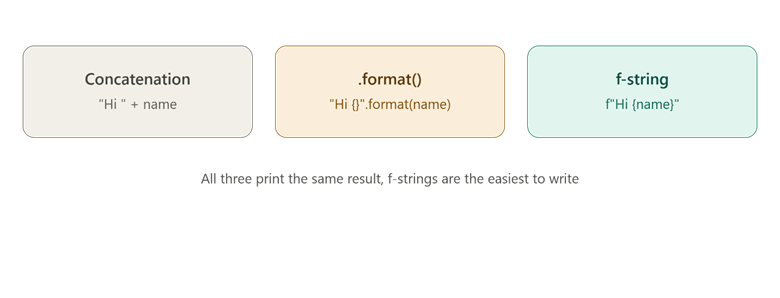
This picture shows three different ways to combine text and variables, all giving the same result.
Comparison Table: String Formatting Methods in Python
| Method | Example | Beginner Friendly | Modern? |
| Concatenation | "Hi " + name | Medium | Older style |
| .format() | "Hi {}".format(name) | Medium | Common in older code |
| f-string | f"Hi {name}" | Very easy | Yes, most used today |
Print Formatting Options
This part explains extra options you can use with print() to control how output looks.
The print() function has extra settings that let you control spacing and line breaks in your output.
- sep: Changes the character placed between multiple values.
- end: Changes what is added after the printed text, instead of a new line.
print("apple", "banana", "cherry", sep=", ")
# Output: apple, banana, cherry

print("Loading", end="...")
print("Done")
# Output: Loading...Done
Explanation: The first line uses sep=", " to put a comma and space between each value instead of the default space. The second line uses end="..." so the next print() continues on the same line instead of starting a new one.
You can also control number formatting inside f-strings:
price = 49.5
print(f"Price: {price:.2f}")
# Output: Price: 49.50
Explanation: The :.2f inside the curly braces tells Python to show the number with exactly 2 digits after the decimal point, which is useful for prices and money values.
Conclusion
Python input output is built on two simple tools — input() to collect data from the user, and print() to display results, with f-strings, .format(), and concatenation all offering different ways to combine text and variables. F-strings are the easiest and most modern choice for most beginners today. The key takeaway is that clear, well-formatted input and output makes your Python programs easier to use and easier to read.